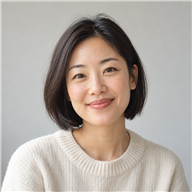
Lighting and atmosphere
Explore a warmer time of day, softer shadows, or neutral mood. Preserve the subject and angle so the requested change is easy to evaluate.
Explore changes to an existing picture using clear, focused text instructions.
A prompt-based image editor uses natural-language instructions to describe changes to an existing picture. Instead of beginning with a blank canvas, you identify what should change and explain the desired result. Depending on the model, edits may concern lighting, objects, colors, or the surrounding scene.
Specific instructions are easier to evaluate than a broad request to improve everything. Ask for one change, state what should remain, and inspect the result before adding another instruction. This AITints prototype demonstrates editing setup with a local preview; real pixel editing and masked selections are not available yet.
Find the approach that fits your next project.
Explore a warmer time of day, softer shadows, or neutral mood. Preserve the subject and angle so the requested change is easy to evaluate.
Describe a simpler environment for an existing subject. Review the relationship between subject, lighting, and shadows before treating the new setting as finished.
Explore color or object adjustments in a concept image. For exact brand colors, product details, or geometry, expect to inspect and potentially finish the result manually.
Choose the original you want to edit. Keep a separate copy so the starting version remains available.
Name the object or area and describe the edit. Mention important details that should be preserved.
With live processing, compare changed and unchanged regions. Add another instruction only after checking the first result.
Use an example as a starting point, then adjust it to your image or idea.
Change the lighting to a soft late-afternoon glow. Keep the person, clothing, camera angle, and background objects unchanged.
Defines the change while describing what should remain.
Replace the busy background with a plain warm-gray studio backdrop. Preserve the product outline, original label, and natural proportions.
Expresses a background editing concept in specific terms.
Change only the cushion fabric to muted forest green. Preserve the texture, seams, surrounding furniture, and original shadows.
Limits the request to one object and identifies details to check.
These are instruction examples, not generated results. AI processing is simulated in this preview.
Text instructions do not guarantee preservation of every unmentioned pixel.
Exact typography, product labels, colors, and facial identity may need manual correction.
The demo does not edit the upload. Masks, region selection, and final downloads are not implemented.
A closer look at where AI Image Editor fits into a creative workflow.
Describing one change at a time feels natural. I can focus on the idea instead of searching through editing controls.
Adding reference images to a follow-up instruction makes a specific color or material much easier to explain.
Choosing an earlier version gives me room to try a different direction without losing the conversation.
A simple instruction is a comfortable starting point when I know what to change but not which editing tool to use.
The conversation keeps the creative brief close to the image instead of scattered across notes.
Numbered attachments give me a clear way to reference a particular color, object, or material.
Design preview: all portraits, names, reviews, star ratings, and the #1 badge are illustrative placeholders, not verified customer feedback or an actual ranking.
That is the prompt-based editing workflow: an image plus written instructions. This demo lets you prepare an edit and view the source, but makes no AI request or pixel change yet.
Editing usually expresses a specific change to an existing picture. Image-to-image often explores a broader reinterpretation. The boundary depends on the model and its available controls.
You can state that requirement, but text alone does not ensure exact preservation. A future implementation may need masks or region controls for precision; this prototype does not include them.
Identify the object, describe the change, and list important details to keep. For example, change only the sofa fabric to navy while preserving the room layout and lighting.
No design experience is needed to explore the interface. For production work, still inspect details, verify input permissions, and check whether the connected model suits your edit.
Try the interactive demo above. No payment is required.